Let Us Shopping
Tuya Smart Door Lock with Fingerprint, Keypad, Bluetooth and Vacation Mode
Tuya Smart Door Lock with Fingerprint, Keypad, Bluetooth and Vacation Mode
受取状況を読み込めませんでした
Tuya Smart Door Lock for Keyless Entry
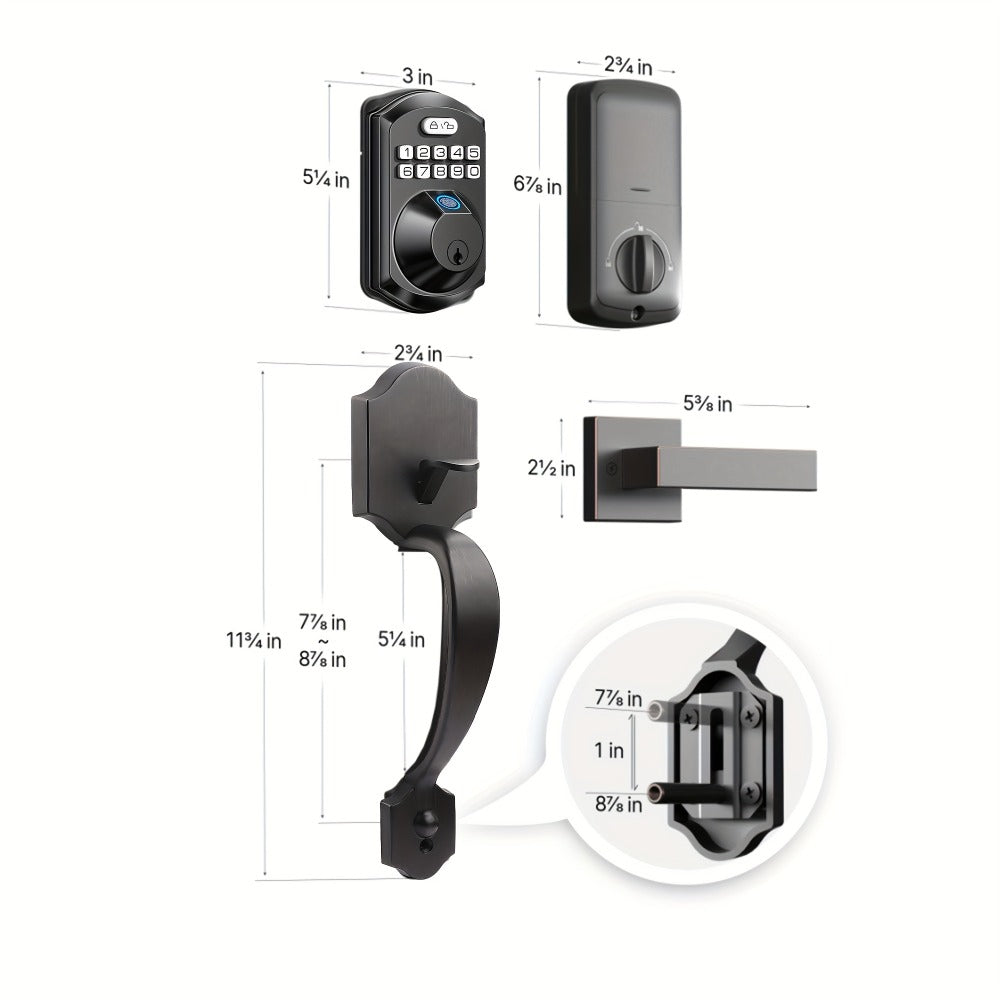
This Tuya-compatible smart door lock combines fingerprint recognition, keypad PIN entry, Bluetooth app control, and a hidden mechanical key backup. Auto-lock and vacation mode add access-management options for compatible home, apartment, and office doors.
When arriving home, choose a registered fingerprint or enter your PIN instead of reaching for a key. Bluetooth app control provides another way to operate and manage the lock, while mechanical key access offers an alternative to electronic entry. The current configuration is labeled Keyboard Lock with the Light style option.
Key Features
- Four entry methods: Use fingerprint recognition, keypad PIN, Bluetooth app control, or mechanical key access.
- Fingerprint recognition: Provides biometric entry for registered users without entering a PIN.
- Tuya Smart app: Listed for iOS and Android with Bluetooth-based lock control and access management.
- Auto-lock: Supports automatic locking. Refer to the instructions for its settings and trigger behavior.
- Vacation mode: Offers an additional access-restriction setting for periods away. Confirm which entry methods remain enabled before use.
- Guest PIN access: Lists temporary code support for visitors without sharing the regular household PIN.
Specifications
| Product type | Smart door lock |
|---|---|
| Entry methods | Fingerprint, keypad PIN, Bluetooth app, mechanical key |
| Listed app | Tuya Smart |
| Listed app platforms | iOS and Android |
| Connectivity | Bluetooth |
| Modes | Auto-lock and vacation mode |
| Model option | Keyboard Lock |
| Style option | Light |
Frequently Asked Questions
Can I unlock the door without using the app?
Yes. Fingerprint recognition, keypad PIN entry, and mechanical key access are also listed.
Does Bluetooth app control mean access from anywhere?
No. Bluetooth connectivity alone does not establish internet-based remote access. A verified operating range and any gateway requirements are not provided.
What does vacation mode do?
Vacation mode is listed as an access-restriction feature. The available description does not consistently establish every entry method affected, so check the operating instructions before enabling it.
Can I create a code for a visitor?
Temporary guest PIN support is listed. Follow the app or product instructions to configure access and confirm its expiration behavior.
What should I check before ordering?
Confirm door thickness, backset, bore dimensions, mounting requirements, and app compatibility. Exact door-fit measurements are not provided in the available specifications.
Shipping & Returns
For shipping details and return conditions, please review our Shipping Policy and Return & Refund Policy.